03 / 07
Figma Motion
Small movements that guide the eye
Smart Animate · After Delay · Hover · Easing
1 · Click the switch: lights on and off


Lights off

Try me · hover and click, nothing leaves this page
Wait, hover and click – these really move
2 · After delay: the dot pulses by itself, in a loop
3 · Spring: the knob bounces (and the site turns dark)

4 · Spring drop: hover “Home” – the lamp falls on a soft wire
Home

5 · Endless loop: two copies slide and jump back, so it never stops

FIGMA

CANVA

CLAUDE

CHATGPT


ILLUSTRATOR


PHOTOSHOP


AFTER EFFECTS
FIGMA
CANVA
CLAUDE
CHATGPT
ILLUSTRATOR
PHOTOSHOP
AFTER EFFECTS
FIGMA
CANVA
CLAUDE
CHATGPT
ILLUSTRATOR
PHOTOSHOP
AFTER EFFECTS
The work in four questions
01
What I did
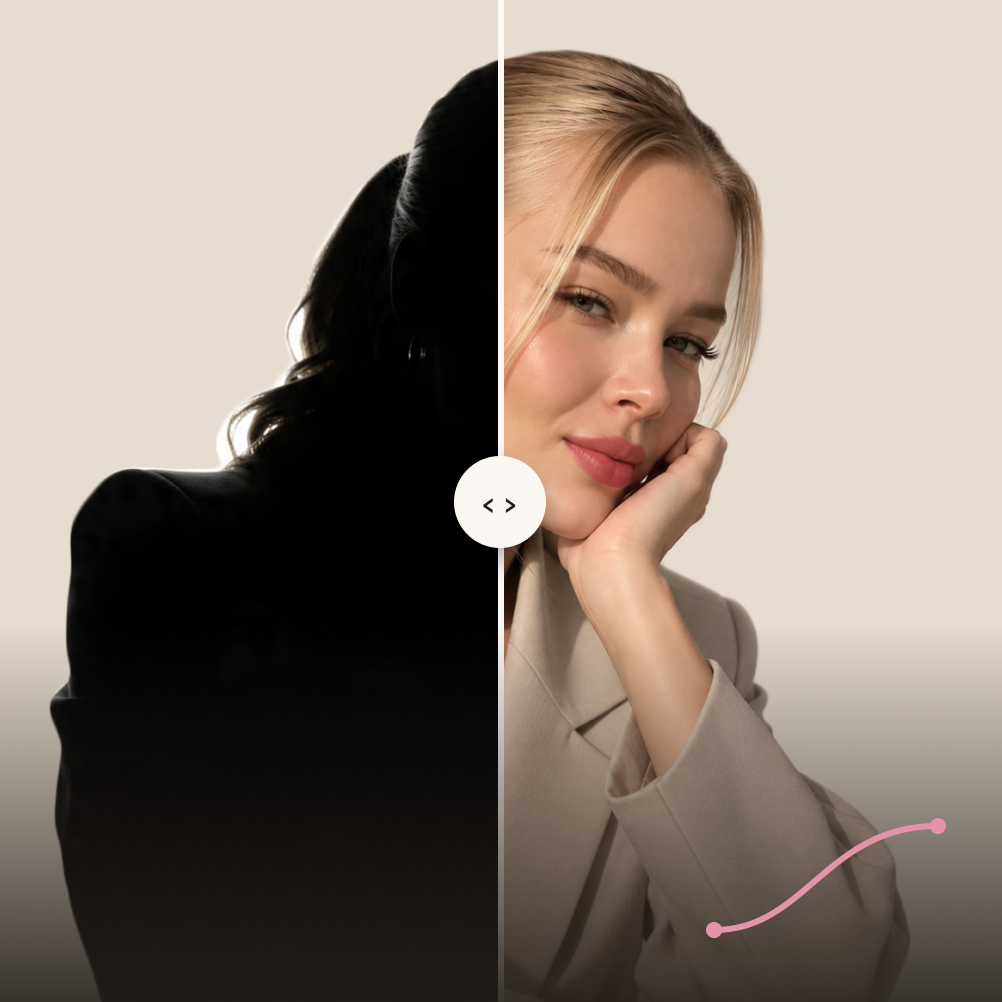
Animations for this portfolio: a black curtain that opens to the home page, my photo turning from a black silhouette into colour, a light switch that turns the room around me light and dark, and buttons, links and the toolkit list that react when you hover.
02
How I did it
Smart Animate between frames for the curtain: same layer names, new positions · After delay so the intro and the 3 s colour reveal start by themselves · On click for the light switch: wall, lamp glow and shade change together · While hovering and While pressing for buttons and links · Custom easing so movement slows down softly at the end.
03
What I learned
Timing and easing make the difference: 3 seconds is long enough to notice the change, but nobody has to wait for it. Motion should help people see where to look, not just look nice. That’s also why there is a Skip intro.
04
Where I’d use it
Micro-interactions in apps and websites: button feedback, loading states, onboarding and small moments that make a product feel alive.
Process
How the curtain opens
Julia Himanen
Work
About
Contact


Open to internships
Clear, thoughtful digital experiences.
big dreams, small details
I’m Julia, a UX/UI student from Finland. This portfolio shows how I use seven digital tools – from planning and prototypes to motion and AI.
See my work

Get in touch



Selected work
All work →
02
Figma
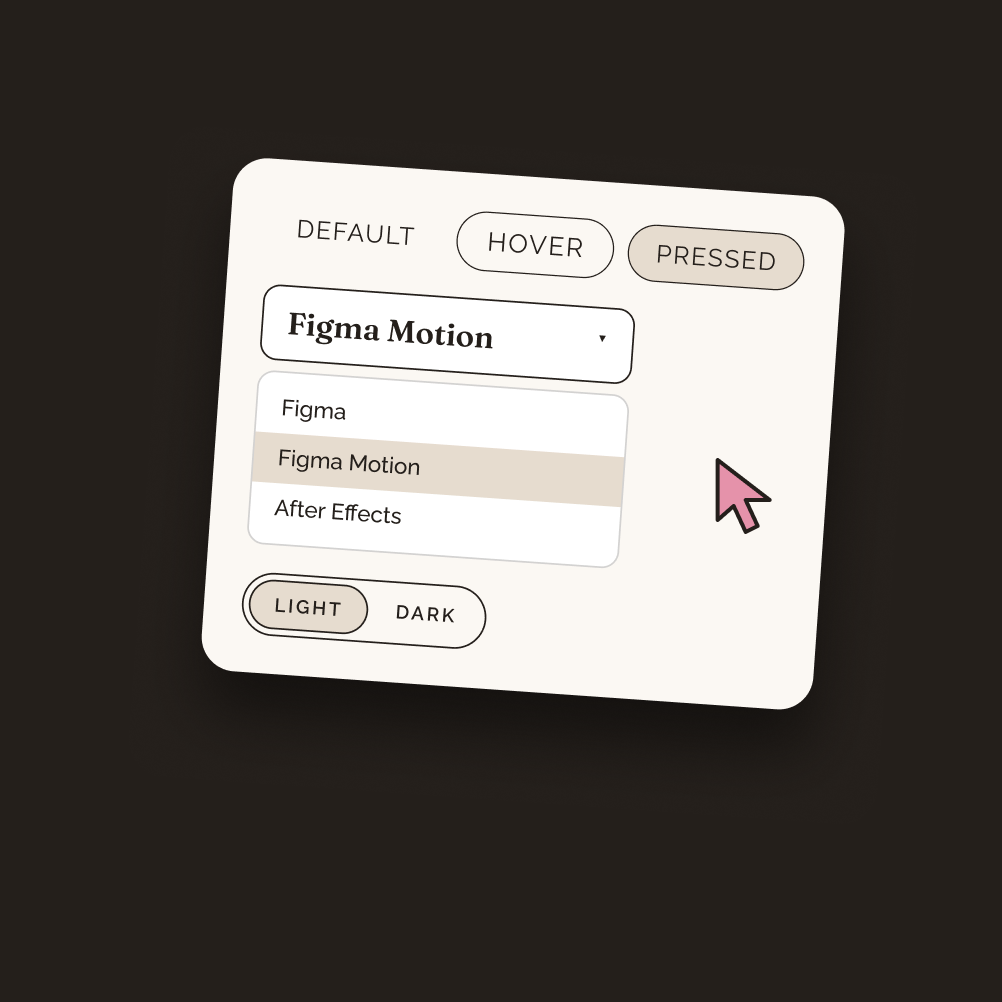
A small design system with live, clickable components.
03
Figma Motion
Smart animate, hover states and a photo that reveals itself.
07
AI Tools
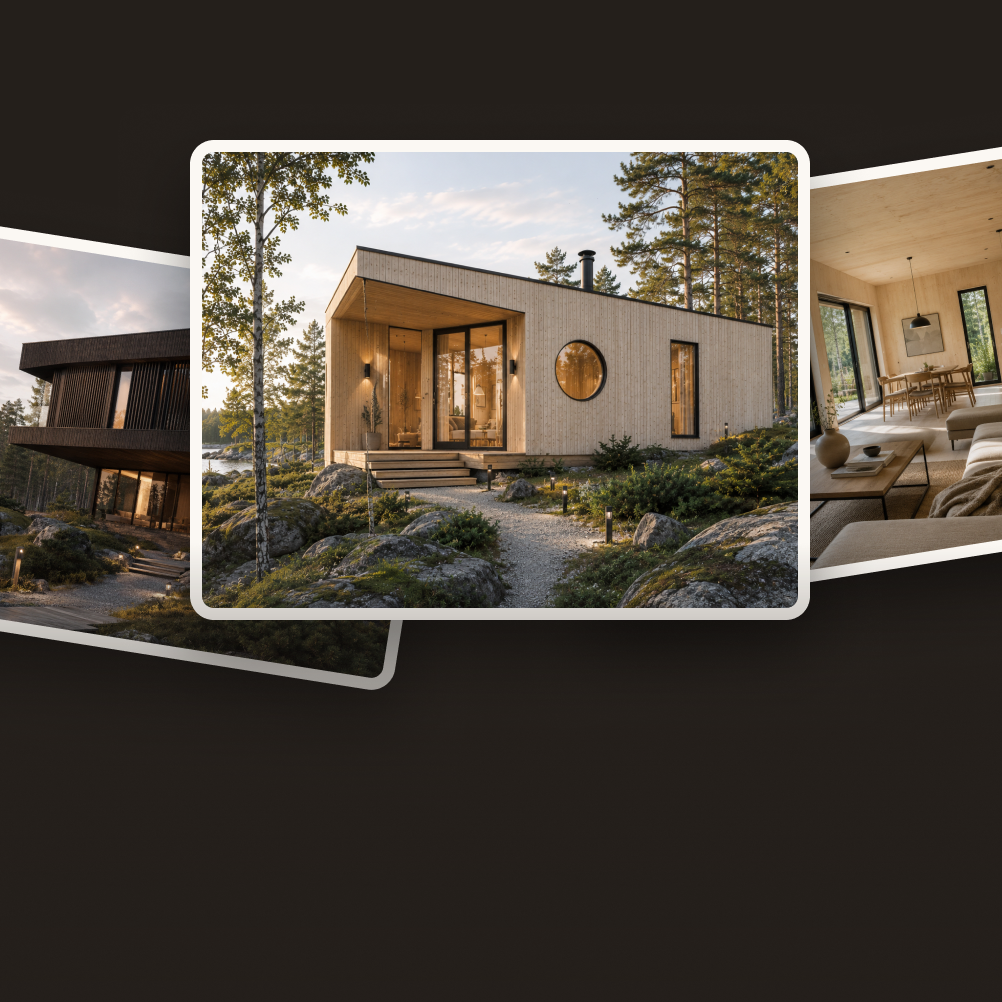
Kallio Builds – a hypothetical project made with Claude and ChatGPT.
The toolkit
seven tools, one designer
Each tool has its own page: what I made, how I made it and what I learned.
01
Project Management
FigJam · Slack · Trello
→
02
Figma
Components · Variables · Prototype
→
03
Figma Motion
Smart animate · Interactions
→
04
After Effects
Keyframes · Timing
→
05
Wix
Website · Cafe Aamu
→
06
WordPress
Blog · Publishing
→
07
AI Tools
Claude · ChatGPT · Prompting
→
Contact
Let’s make something people notice.
juliahimanen.ux@gmail.com
LinkedIn →
Instagram →
© 2026 Julia Himanen · Designed and built in Figma
Julia
Himanen
PORTFOLIO · 2026
Skip intro →
1 · Black
Intro 1 is only the black curtain. After 0.5 s it moves on by itself.
Julia Himanen
Work
About
Contact
Open to internships
Clear, thoughtful digital experiences.
big dreams, small details
I’m Julia, a UX/UI student from Finland. This portfolio shows how I use seven digital tools – from planning and prototypes to motion and AI.
See my work

Get in touch

Selected work
All work →
02
Figma
A small design system with live, clickable components.
03
Figma Motion
Smart animate, hover states and a photo that reveals itself.
07
AI Tools
Kallio Builds – a hypothetical project made with Claude and ChatGPT.
The toolkit
seven tools, one designer
Each tool has its own page: what I made, how I made it and what I learned.
01
Project Management
FigJam · Slack · Trello
→
02
Figma
Components · Variables · Prototype
→
03
Figma Motion
Smart animate · Interactions
→
04
After Effects
Keyframes · Timing
→
05
Wix
Website · Cafe Aamu
→
06
WordPress
Blog · Publishing
→
07
AI Tools
Claude · ChatGPT · Prompting
→
Contact
Let’s make something people notice.
juliahimanen.ux@gmail.com
LinkedIn →
Instagram →
© 2026 Julia Himanen · Designed and built in Figma
Julia
Himanen
PORTFOLIO · 2026
Skip intro →
2 · My name
Intro 2: the name fades in and the thin line grows. Smart Animate, 1.2 s.
Julia Himanen
Work
About
Contact
Open to internships
Clear, thoughtful digital experiences.
big dreams, small details
I’m Julia, a UX/UI student from Finland. This portfolio shows how I use seven digital tools – from planning and prototypes to motion and AI.
See my work
Get in touch
Selected work
All work →
02
Figma
A small design system with live, clickable components.
03
Figma Motion
Smart animate, hover states and a photo that reveals itself.
07
AI Tools
Kallio Builds – a hypothetical project made with Claude and ChatGPT.
The toolkit
seven tools, one designer
Each tool has its own page: what I made, how I made it and what I learned.
01
Project Management
FigJam · Slack · Trello
→
02
Figma
Components · Variables · Prototype
→
03
Figma Motion
Smart animate · Interactions
→
04
After Effects
Keyframes · Timing
→
05
Wix
Website · Cafe Aamu
→
06
WordPress
Blog · Publishing
→
07
AI Tools
Claude · ChatGPT · Prompting
→
Contact
Let’s make something people notice.
juliahimanen.ux@gmail.com
LinkedIn →
Instagram →
© 2026 Julia Himanen · Designed and built in Figma
Julia
Himanen
PORTFOLIO · 2026
Skip intro →
3 · The curtain opens
Both halves slide out to the sides. Same layer names in every frame, so Smart Animate knows what to move.
Julia Himanen
Work
About
Contact
Open to internships
Clear, thoughtful digital experiences.
big dreams, small details
I’m Julia, a UX/UI student from Finland. This portfolio shows how I use seven digital tools – from planning and prototypes to motion and AI.
See my work
Get in touch
Selected work
All work →
02
Figma
A small design system with live, clickable components.
03
Figma Motion
Smart animate, hover states and a photo that reveals itself.
07
AI Tools
Kallio Builds – a hypothetical project made with Claude and ChatGPT.
The toolkit
seven tools, one designer
Each tool has its own page: what I made, how I made it and what I learned.
01
Project Management
FigJam · Slack · Trello
→
02
Figma
Components · Variables · Prototype
→
03
Figma Motion
Smart animate · Interactions
→
04
After Effects
Keyframes · Timing
→
05
Wix
Website · Cafe Aamu
→
06
WordPress
Blog · Publishing
→
07
AI Tools
Claude · ChatGPT · Prompting
→
Contact
Let’s make something people notice.
juliahimanen.ux@gmail.com
LinkedIn →
Instagram →
© 2026 Julia Himanen · Designed and built in Figma
Julia
Himanen
PORTFOLIO · 2026
Skip intro →
4 · Home
The page is there, and my photo starts turning from black to colour.
Every animation has a job: guide the eye, give feedback or make the page feel alive.
Try it yourself
The curtain closes over this page and opens again, and you stay right here.

Contact
Let’s make something people notice.
juliahimanen.ux@gmail.com
© 2026 Julia Himanen · Designed and built in Figma
Julia Himanen
01
Project Management
02
Figma
03
Figma Motion
04
After Effects
05
Wix
06
WordPress
07
AI Tools
All work →

Work
Home
About
Contact

