04 / 07
After Effects
A personal intro, timed to the second
Text Animators · Track Mattes · Shape layers · Easing
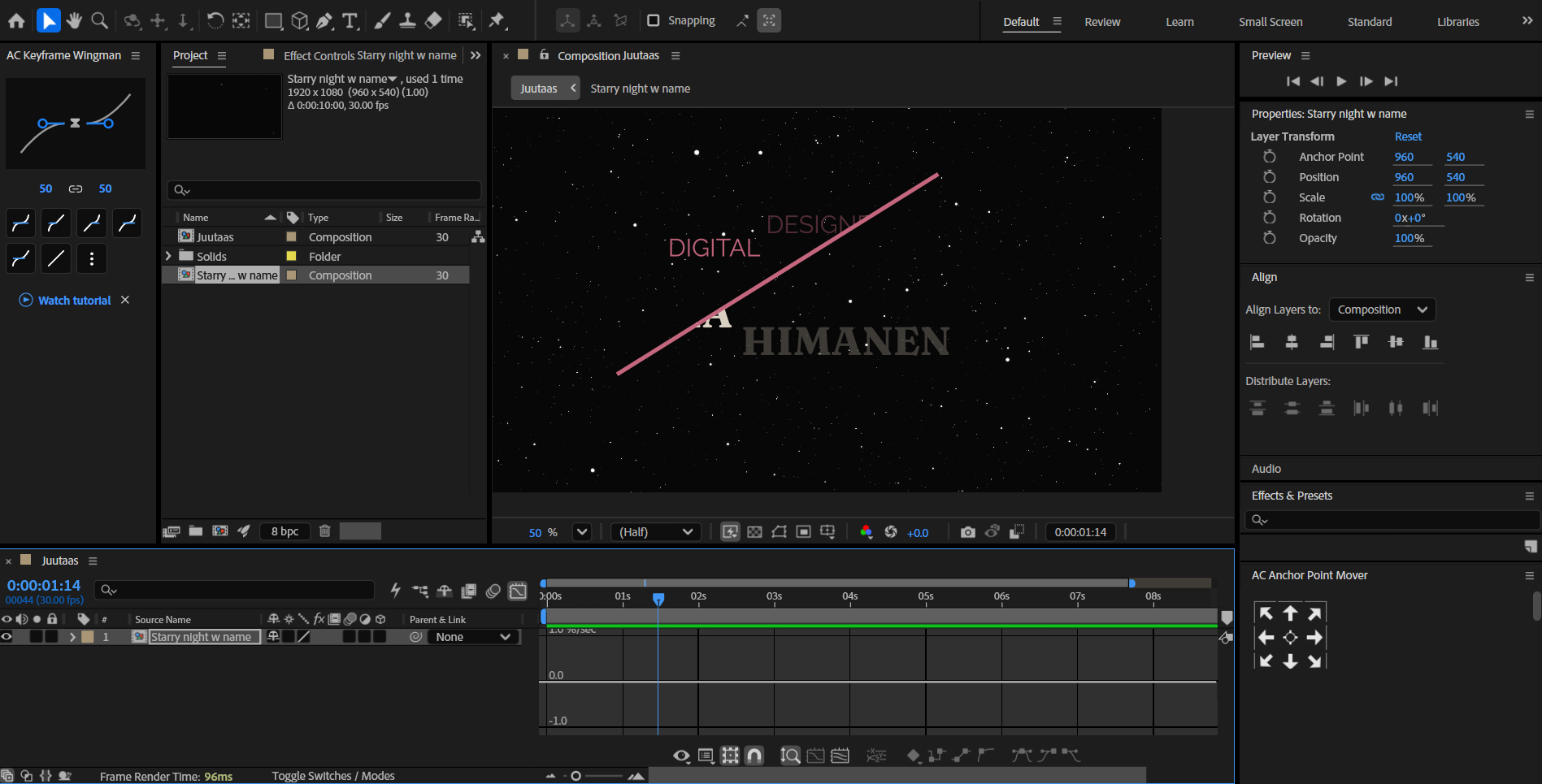
A still from my After Effects intro: animated lines reveal my name and title over a slowly drifting starfield.
The work in four questions
01
What I did
A short intro with my name and title. Lines move and reveal my name and title, and the stars slow down once the text settles.
02
How I did it
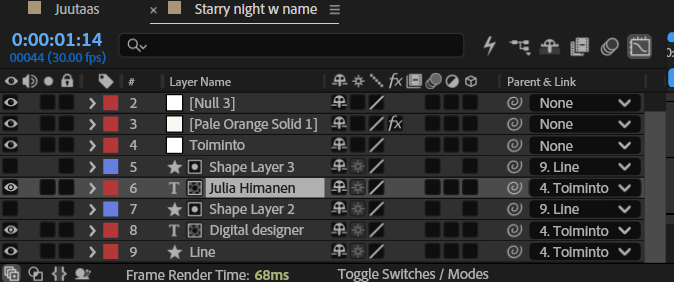
Text Animator for the word-by-word reveal · Track Matte to hide the text behind the line · Shape layers for the lines · Easy Ease for smooth motion.
03
What I learned
Small easing tweaks make a big difference. Changing the tutorial taught me more than following it.
04
Where I’d use it
Brand intros, social videos and motion ideas for UI.
Process

Contact
Let’s make something people notice.
juliahimanen.ux@gmail.com
© 2026 Julia Himanen · Designed and built in Figma
Julia Himanen
01
Project Management
02
Figma
03
Figma Motion
04
After Effects
05
Wix
06
WordPress
07
AI Tools
All work →

Work
Home
About
Contact


