01 / 07
Project Management
Planning, collaboration and workflow
FigJam · Slack · Trello
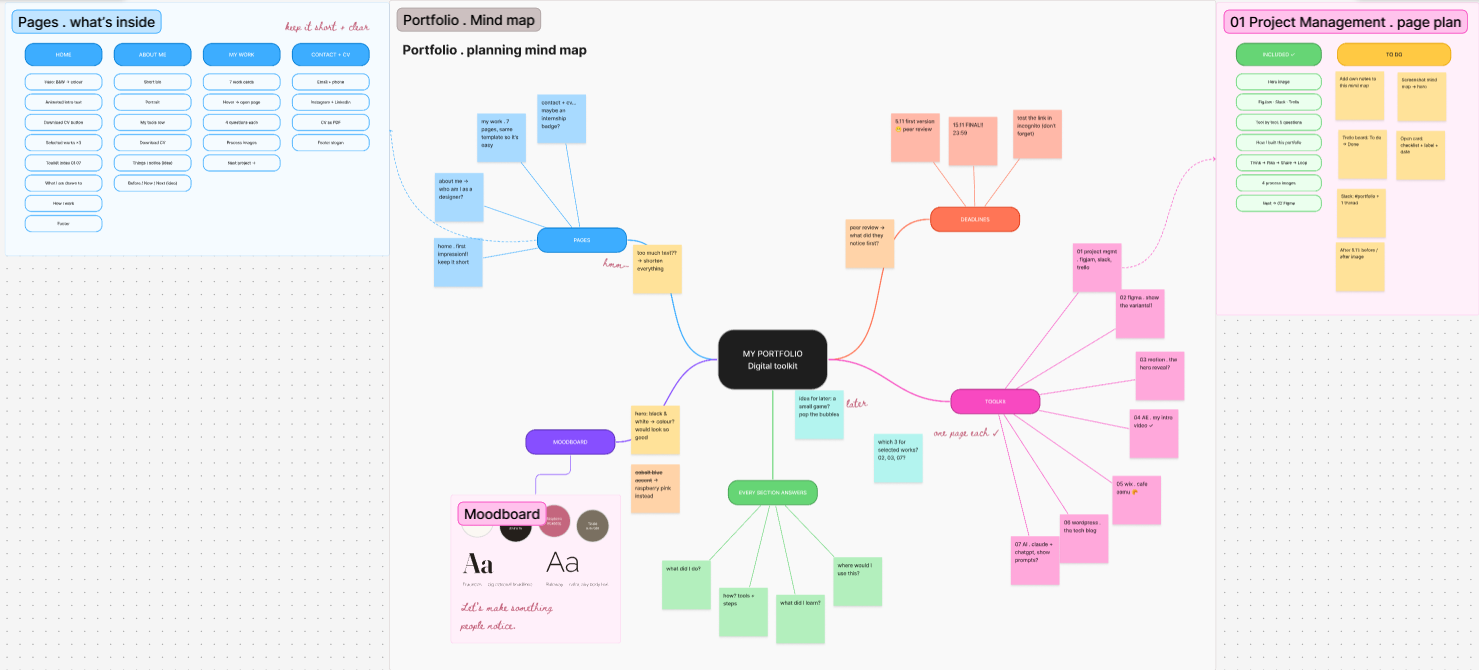
My FigJam planning board for this portfolio: a sitemap of the pages, a mind map of ideas, a moodboard and a task list sorted by stage.
Tool by tool
FigJam
An online whiteboard by Figma for brainstorming, mapping and planning together in real time.
01
What I did
FigJam is one of my most-used tools. I often use it as a mind map: getting everything out of my head and onto one board makes my thinking clearer.
02
Key features
Sticky notes for quick thoughts · Connectors to link ideas into a mind map · Sections to group and organise them.
03
What I learned
Seeing my thoughts visually helps me spot connections and gaps I would miss in a list.
04
Where I’d use it
At the start of any design project: mapping ideas, planning next steps and sharing my thinking with a team.
Overview
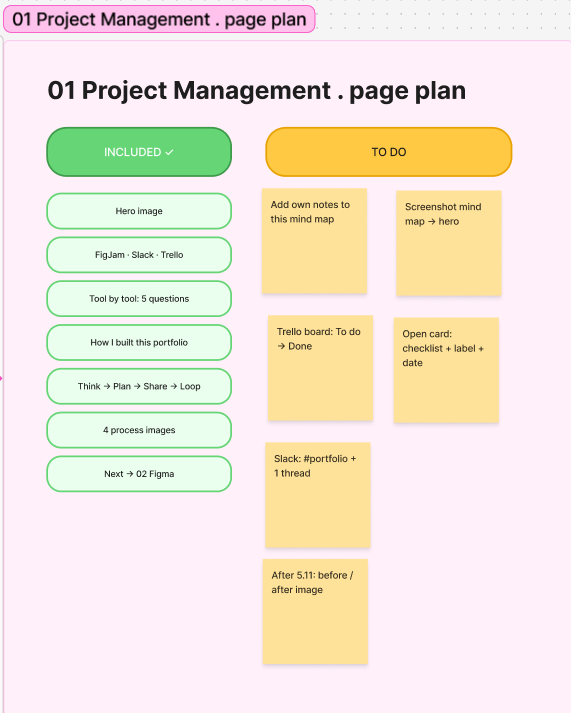
Zoom in: detail
Slack
A team messaging platform that organises work into channels and connects to other tools.
01
What I did
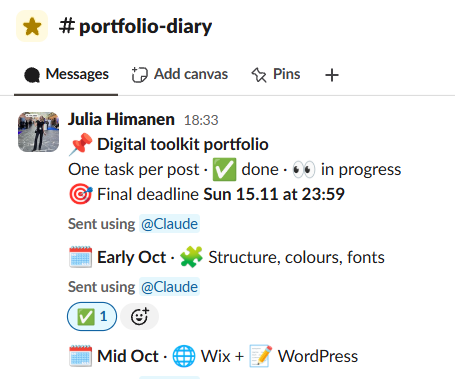
I’ve used Slack a lot at work, so it felt natural to use it here too. I made a #portfolio-diary channel and posted one task at a time. When something was done I marked it with ✅, and 👀 when I was still working on it.
02
Key features
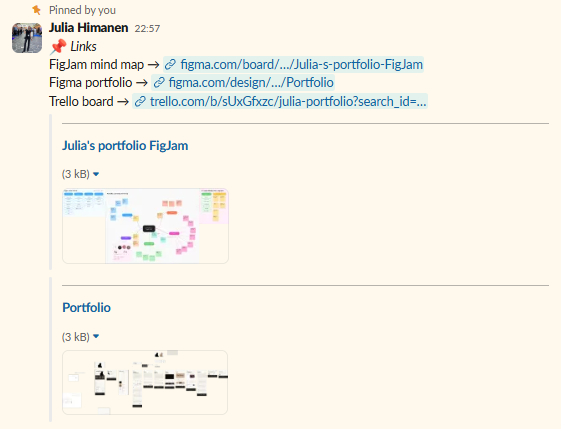
Channels · emoji reactions to show what’s done · pinned links to my FigJam, Trello and Figma · threads for small notes.
03
What I learned
It helped me see what was already done and what was still missing. Small posts were easier to keep up with than one long to-do list.
04
Where I’d use it
In a team project, so everyone can quickly see the status and find the right files from the pinned links.

Trello
A visual task board where work moves through lists, from to-do to done.
01
What I did
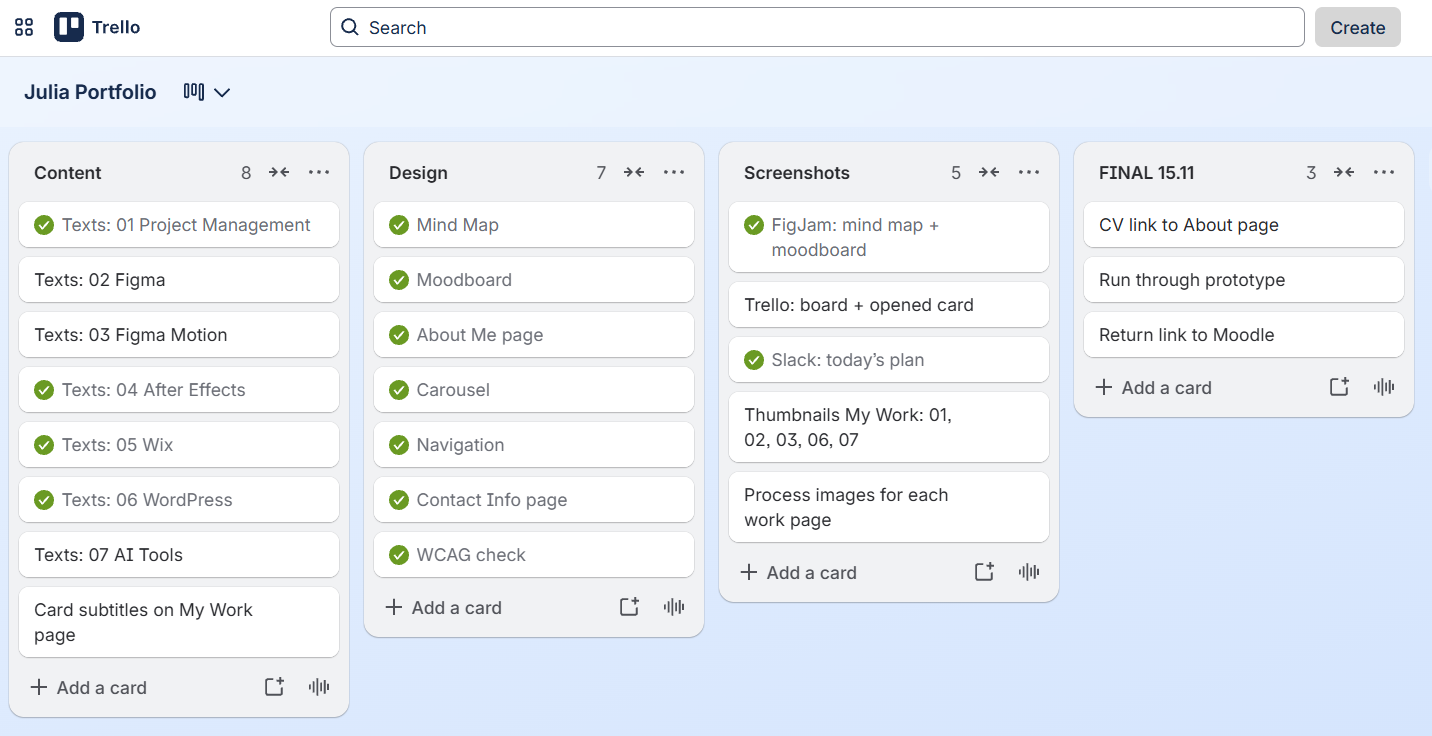
I planned this portfolio in Trello: one card per toolkit section, moving from To do → In progress → Done until everything was ready to present.
02
Key features
Lists & cards in a kanban flow · Checklists for each section’s tasks · Labels & due dates to see priorities at a glance.
03
What I learned
Breaking a big deadline into small cards makes it feel doable, and moving a card to Done is surprisingly motivating.
04
Where I’d use it
Tracking a design sprint: research, wireframes, testing and handoff as lists the whole team can follow.
How I built this portfolio
one tool, one job
01
Think it · FigJam
I mapped the whole portfolio as a mind map: the pages, the 7 toolkit sections and the four questions each one must answer.
02
Plan it · Trello
Every branch became a card with a checklist and a due date: 15.11 for the final version.
03
Log it · Slack
A #portfolio channel as my design diary: links, decisions and notes in threads, plus reminders for the deadlines. Slack is already part of my skill set from several workplaces.
04
Close the loop
When something changed, I updated the Trello cards and the mind map, so the plan always matched the real portfolio.
One tool, one job. I think it in FigJam, plan it in Trello and log it in Slack – and links connect them: every Trello card points to its FigJam map and Figma frame.

Contact
Let’s make something people notice.
juliahimanen.ux@gmail.com
© 2026 Julia Himanen · Designed and built in Figma
Julia Himanen
01
Project Management
02
Figma
03
Figma Motion
04
After Effects
05
Wix
06
WordPress
07
AI Tools
All work →

Work
Home
About
Contact


